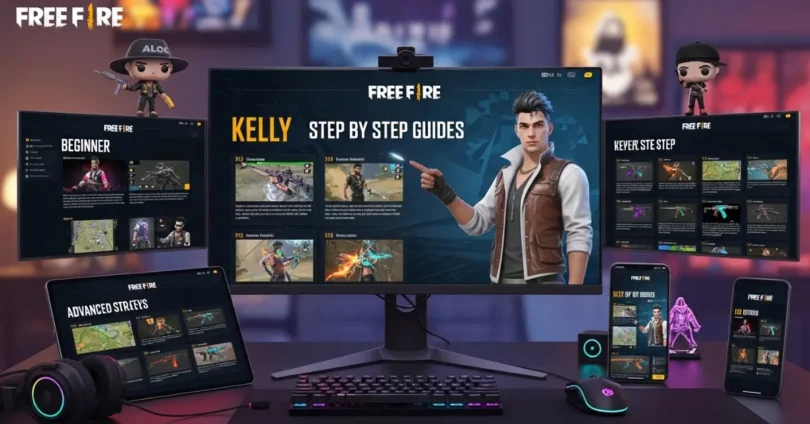
If you are new to the world of Free Fire or want to improve your gameplay, this article is perfect for you. Our Free Fire step by step guides will help you understand every part of the game, from creating your account to winning your first match. With easy to follow instructions and practical tips, even beginners can quickly learn strategies, weapons, and tactics to survive and dominate in the battlefield.
Getting Started with Free Fire
Before diving into the game, the first step is to create your Free Fire account. You need a stable internet connection and a compatible device.
- Download the game: Visit the official app store for your device (Google Play Store for Android or Apple App Store for iOS) and download Free Fire. Avoid unofficial websites to prevent malware.
- Sign up: You can register using Facebook, Google, or a guest account. Linking your social account helps save your progress.
- Verify your account: Some accounts may require email verification. Complete it to unlock full features.
- Set up your profile: Add a unique username, select your avatar, and customize your character’s appearance.
Once your account is ready, you can explore the main menu and lobby, which are the core areas before entering a game.
Understanding the Game Interface
The Free Fire interface can be confusing initially, but it is simple once you know each section:
- Main Menu: Shows your profile, inventory, shop, and missions.
- Lobby: Where you select game modes, join friends, or start a match.
- Inventory: Here you can check weapons, characters, skins, and upgrades.
- Settings: Adjust controls, graphics, and sound for better gameplay.
Understanding these areas is crucial because knowing where everything is will save time during matches.
Choosing the Right Character
Characters in Free Fire have unique abilities. Choosing the right character can give you a competitive advantage.
- Beginner-friendly characters: Always start with characters that boost health or movement, like Kelly or Andrew.
- Unlocking characters: Use diamonds or complete missions to unlock more powerful characters.
- Skills: Focus on characters whose skills match your play style, like aggressive combat or defensive survival.
Selecting a character strategically can make your early games easier and more successful.
Weapons and Gear Basics
Weapons and gear are essential to survive in Free Fire. Using the right combination can improve your chances of winning.
- Weapon types: Rifles, SMGs, sniper rifles, shotguns, and pistols.
- Armor and helmets: Reduce damage from enemy attacks. Always upgrade when possible.
- Medkits: Heal yourself during combat. Keep them in your inventory at all times.
- Upgrades: Use gold or diamonds to improve weapon damage and armor protection.
Learning which weapons work best in different situations is key to mastering Free Fire.
Exploring the Game Map
The Free Fire map has many zones, each with unique features and loot opportunities.
- Safe zones: Always check the shrinking safe zone to avoid damage.
- High-loot areas: Places like warehouses or towns have better weapons but attract more players.
- Movement tips: Plan your path, avoid open areas, and always be aware of enemies.
Knowing the map allows you to control battles and survive longer.
Step by Step Battle Guide
Winning in Free Fire requires planning and strategy. Follow these steps:
- Plan your drop point: Avoid crowded areas if you are a beginner.
- Early game looting: Collect weapons, armor, and medkits as quickly as possible.
- Mid-game survival: Stay inside safe zones, avoid unnecessary fights, and always watch for ambushes.
- Endgame tactics: Position yourself in cover, use grenades and medkits wisely, and focus on enemies one by one.
Following these steps ensures a higher chance of survival and winning.
Vehicles and Movement
Vehicles are useful but risky in Free Fire. Knowing when and how to use them can save your life:
- Types of vehicles: Cars, motorcycles, and boats.
- Strategic use: Use vehicles for quick movement or escaping the danger zone.
- Avoid common mistakes: Do not stay in vehicles during fights; they are easy targets.
Good movement, both on foot and using vehicles, improves your survival rate.
Game Modes Explained
Free Fire offers several modes for players:
- Classic Mode: Standard battle royale game with 50 players.
- Ranked Mode: Compete for ranks; winning gives more rewards.
- Special Events: Limited-time modes with unique challenges and rewards.
Choosing the right mode depends on your skill and objectives. Beginners may start with Classic Mode, while experienced players may try Ranked Mode to earn points and rewards.
Team Strategies and Communication
Team play is essential in squad mode. Communication improves coordination and chances of winning.
- Solo vs Squad: Solo requires survival skills, while squads rely on teamwork.
- Voice chat: Use in-game voice or text chat to coordinate.
- Step by step team guide: Assign roles (attacker, defender, scout) and stick together.
Effective communication and teamwork can turn the tide of any match.
Daily Missions and Rewards
Completing missions daily ensures you earn items and in-game currency.
- Check missions daily: Log in and review tasks.
- Complete tasks efficiently: Focus on achievable missions first.
- Claim rewards: Use rewards for character upgrades or buying weapons.
Regularly completing missions keeps your account strong and competitive.
In-Game Currency and Upgrades
Free Fire uses different currencies:
- Gold: Earned in-game; used to upgrade weapons and characters.
- Diamonds: Premium currency; used to unlock exclusive characters and skins.
- Best practices: Spend wisely, focus on upgrades that improve gameplay.
Proper management of resources ensures long-term success in the game.
Tips for Improving Skills
Improvement comes with practice and smart techniques:
- Aim practice: Use training grounds to improve accuracy.
- Movement drills: Learn to dodge and move strategically in combat.
- Game awareness: Pay attention to sound cues and enemy movements.
Following these tips step by step helps you become a stronger player.
Avoiding Common Beginner Mistakes
Beginners often make the same errors. Avoid these:
- Staying in open areas too long.
- Ignoring safe zones.
- Wasting medkits and ammo.
- Using the wrong weapons for situations.
Learning from mistakes early saves time and improves survival.
Advanced Tactics
Experienced players use advanced strategies:
- Stealth and ambush: Hide in bushes or buildings to surprise enemies.
- Zone control: Stay in the center of safe zones for a tactical advantage.
- High-level combat: Use grenades and long-range weapons effectively.
These tactics separate beginners from pros.
Common FAQs About Free Fire Step by Step Guides
Faqs of Free Fire Step by Step Guides:
How can I level up faster in Free Fire?
Complete missions daily and survive longer in matches.
How do I get free diamonds?
Participate in events and redeem official codes.
What is the best beginner character?
Kelly or Andrew for health and movement boost.
How to survive longer in matches?
Stay inside safe zones and avoid unnecessary fights.
Which weapons are best for beginners?
SMGs and assault rifles for easy control and damage.
Can I play Free Fire on low-end devices?
Yes, adjust graphics settings for smoother performance.
How do I unlock advanced characters?
Use diamonds or complete special missions.
What is the best landing spot?
Choose less crowded areas to loot safely.
How can I earn in-game gold quickly?
Complete daily missions and participate in events.
Are vehicles safe to use?
Vehicles are useful for movement but avoid using them during fights.
Conclusion
Free Fire is a fun and challenging game that requires strategy, practice, and patience. By following these Free Fire step by step guides, you can improve from a beginner to a skilled player. Focus on learning the game interface, choosing the right characters, mastering weapons, and understanding maps. Use daily missions, resources, and advanced tactics to survive longer and win matches. Remember, practice and patience are key. Keep following these steps, and you will see significant improvement in your gameplay.