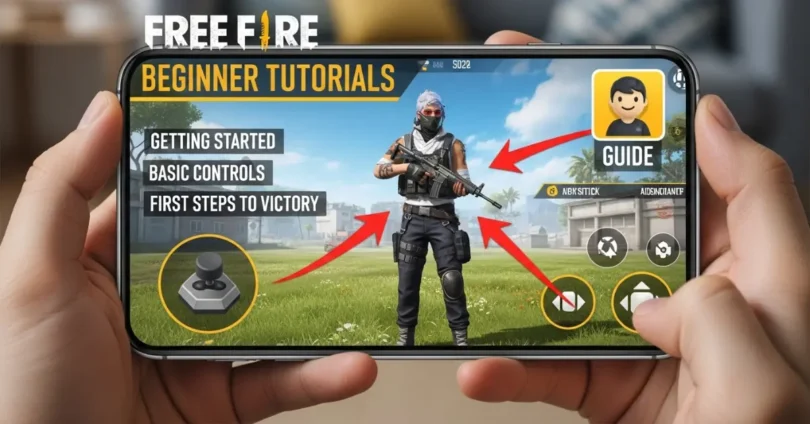
If you are new to battle royale games, these Free Fire beginner tutorials will help you start your journey in a simple and easy way. Garena Free Fire is one of the most popular mobile games in the world, and many new players join every day. This guide is specially made for beginners who want to learn step by step, from basic controls to smart gameplay tips. By following these Free Fire beginner tutorials, you will understand how to survive longer, improve your skills, and enjoy the game with confidence.
Download and Install Free Fire
Before playing, you need to install the game properly.
You can download Free Fire from:
- Google Play Store for Android
- Apple App Store for iPhone
Important points:
- Make sure you have enough storage space
- Use a stable internet connection
- Allow all required permissions
After installation, open the game and wait for extra files to download.
Create Your Game Account
When you open the game, you need to log in.
Login options:
- Guest account
- Facebook account
- Google account
Best choice:
- Use Facebook or Google for safety
- Guest account can be lost easily
After login, set your name and basic profile.
Understand the Game Interface
The main screen is called the lobby. Here you will see many options.
Main things in lobby:
- Start button
- Character display
- Store and events
- Gold and diamonds
Simple explanation:
- Gold: Free currency
- Diamonds: Paid currency
Beginners should focus on earning gold first.
Learn Basic Controls
Controls are very important in Free Fire.
Main controls:
- Left side: Movement joystick
- Right side: Fire button, aim, jump, crouch
Tips for better control:
- Use both thumbs
- Keep buttons easy to reach
- Practice daily
Extra tips:
- Increase button size if needed
- Try training mode for practice
Choose Your First Character
Free Fire has many characters with special skills.
As a beginner:
- Choose simple characters
- Avoid complex skills
Good beginner strategy:
- Use characters with healing or defense abilities
- Upgrade slowly
Understand Weapons and Types
Weapons decide your performance in the game.
Main weapon types:
- AR (Assault Rifle): Balanced and easy
- SMG: Fast for close fights
- Sniper: Long range but hard
- Shotgun: Powerful but risky
Best choice for beginners:
- Use AR guns
- Avoid sniper at start
Learn the Map and Landing Strategy
When the match starts, you jump from a plane.
Landing is very important.
Smart landing tips:
- Choose quiet places
- Avoid crowded areas
- Land near buildings
Why this matters:
- You get time to loot safely
- You avoid early fights
Looting System Explained
After landing, you must collect items quickly.
Important items:
- Guns
- Ammo
- Medkits
- Armor
Looting priority:
- First: Gun
- Second: Ammo
- Third: Medkit
Tips:
- Loot fast
- Do not stay in one place too long
Survival Strategy for Beginners
Survival is the most important part.
Basic survival rules:
- Stay inside the safe zone
- Use cover like trees and walls
- Avoid open areas
Smart movement:
- Move slowly
- Do not make unnecessary noise
Basic Combat Skills
Fighting is important, but do it wisely.
Combat tips:
- Aim for headshots
- Use cover
- Do not panic
Close vs long fight:
- Close: Use SMG or shotgun
- Long: Use AR
Use of Gloo Wall and Utilities
Gloo Wall is a special item for defense.
Uses:
- Block enemy bullets
- Create instant cover
Other items:
- Grenades
- Medkits
Tips:
- Use Gloo Wall in danger
- Save it for important fights
Play Solo vs Squad Mode
Free Fire has different modes.
Modes explained:
- Solo: Play alone
- Duo: Two players
- Squad: Four players
Best for beginners:
- Start with solo
- Move to squad later
Customize Settings
Settings can improve your gameplay.
Important settings:
- Sensitivity
- Controls
- Graphics
Tips:
- Keep sensitivity medium
- Adjust HUD layout
- Turn on auto pickup
Avoid Common Beginner Mistakes
Many beginners make the same mistakes.
Common mistakes:
- Landing in crowded areas
- Fighting too early
- Ignoring safe zone
How to avoid:
- Play smart
- Focus on survival
Earn Free Rewards
Free Fire gives many free rewards.
Ways to earn:
- Daily missions
- Events
- Login rewards
Tips:
- Play daily
- Check events regularly
Practice and Improve
Practice is the key to success.
Ways to improve:
- Use training ground
- Play regularly
- Watch pro players
Pro Tips to Rank Up Faster
If you want to grow faster, follow these tips.
Pro tips:
- Focus on survival
- Avoid unnecessary fights
- Stay calm
- Play with good teammates
Common FAQs About Free Fire Beginner Tutorials
Faqs of Free Fire Beginner Tutorials:
Is Free Fire good for beginners?
Yes, it is easy to learn and fun to play.
Which weapon is best?
AR guns are best for beginners.
How to improve aim?
Practice daily and adjust sensitivity.
Can I play without money?
Yes, Free Fire is free to play.
What is safe zone?
It is the area where you must stay alive.
How to use Gloo Wall?
Use it to block enemy attacks.
Which mode is best?
Solo mode is best for beginners.
How to get free items?
Complete missions and events.
How to survive longer?
Avoid fights and stay in safe zone.
How to become pro?
Practice daily and learn strategies.
Conclusion
These Free Fire beginner tutorials give you a full step by step guide to start your journey. From downloading the game to learning survival and combat skills, everything is explained in simple English. As a beginner, do not rush. Take your time, practice daily, and focus on survival. Avoid common mistakes and use smart strategies.
If you follow this guide properly, you will see improvement very fast. Keep playing, keep learning, and enjoy the game. Soon, you will become a better player and win more matches with confidence.